Choose blank or example
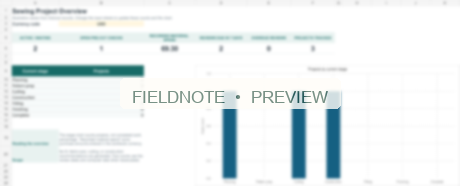
Static workbook overview · fictional example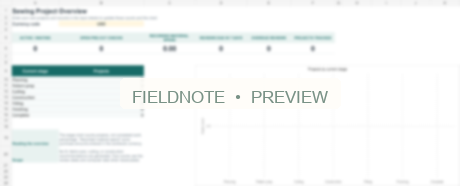
Six linked worksheets
One Project ID, connected records.
Stages, spend & checks
Unique Project IDs
Amounts, units & spend
Project-linked records
Steps & changes
The stage chart counts projects by stage, not percentage completion. Recorded spend is not total project cost.
Small previews show actual page structure without exposing a full-resolution template. Sewing overviews are included static previews, not Excel screenshots.
Hobbies & leisure
Sewing Project Studio
All the small decisions behind a finished make.
Start in the clean blank workbook. Explore a separate example with three fictional projects, then connect your own records using Project IDs.
Not currently available for purchase
See what’s inside ↓Product files are in English.
Made for
People managing several sewing projects who prefer Excel to separate paper notes.
A clear working sequence
From first step
to next step.
- 01
Start
Add a make and give it a unique Project ID.
- 02
Connect
Use that ID in materials, measurements and work-log records.
- 03
Review
See project stages, recorded spend and open checks in Overview.
The files, clearly explained
What’s inside.
Begin in a clean working file. Use the separate fictional example to learn the structure.
Start with your own makes
A clean XLSX with formulas, formatting, validation and chart connections retained. Match the Project ID across records.
Learn with three fictional makes
Explore linked projects, materials, measurements and work-log records. Keep the example separate from your working copy.
Understand the six sheets
An offline HTML guide and two static overview PNGs. The PNGs are not screenshots from Excel.
Exact filenames · 5
| File | Purpose |
|---|---|
| Blank template workbook (.xlsx) | Clean starting workbook · formulas and formatting retained |
| Separate example workbook (.xlsx) | Separate workbook · three fictional projects |
| Start_Here.html | Offline workbook guide |
| Blank_Template_Overview_Preview.png | Static overview of the blank template |
| Example_Overview_Preview.png | Static overview of the fictional example |
Before you begin
Useful to know.
Amounts on each material row must use one unit. Recorded spend is purchase quantity × unit cost, not labor or accounting. No pattern drafting, fit assessment or automatic fabric estimate.
Using the workbooks
The blank and fictional example XLSX workbooks are separate. Use the same Project ID across records and keep each material row in one unit. The workbook summarizes entered purchases and project stages.
Another starting point.
Actual page excerpts
Work & business
Pet Sitter Client Intake & First Visit Kit
Bring owner-provided details, meeting notes and first-visit handoffs into a clear sequence.
Word + printable PDFExplore kit ↗
Actual page excerpts
Work & business
One to One Continuity Kit
Agree on a meeting rhythm, gather topics and bring agreed actions into the next check-in.
Word + printable PDFExplore kit ↗
Actual page excerpts
Home & everyday life
The Family Recipe Storybook
Collect contributor notes, recipes and the stories behind them in a collection you can build yourself.
Word + fillable PDFExplore kit ↗